



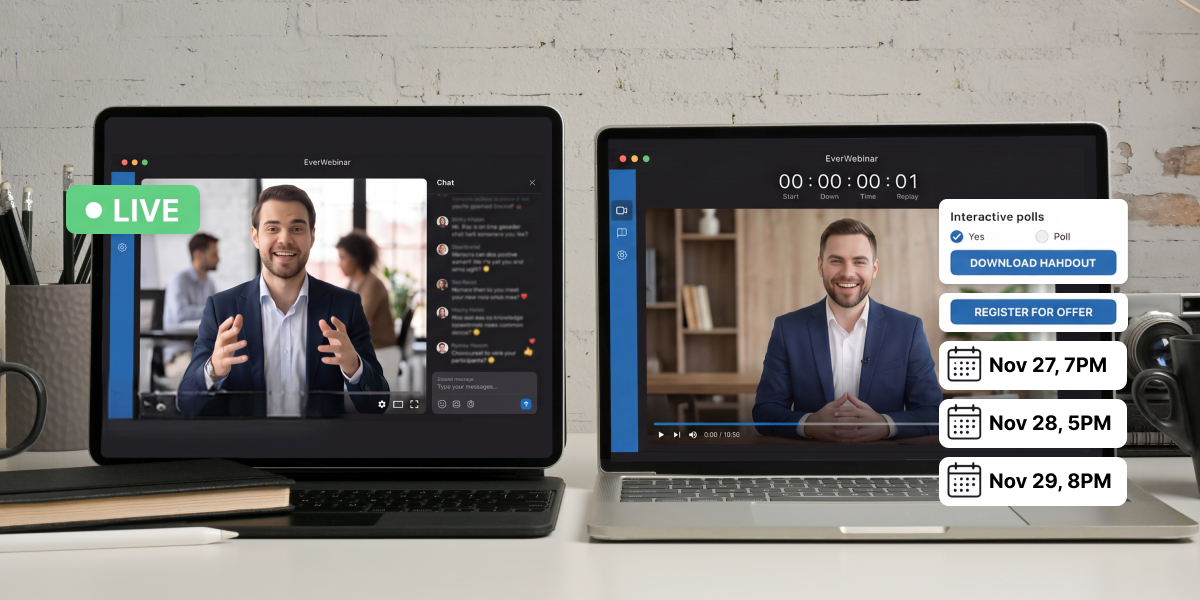
You’ve probably heard that live webinars convert better, while automated webinars are easier to scale. Both can be true. The challenge is knowing which format makes the most sense for your business.
The choice between live vs. automated webinars depends on what you’re selling, who you’re selling it to, and where the webinar fits into your funnel. For many businesses, the right strategy isn’t choosing one or the other. It’s knowing when to use each.
Three variables can help you choose the right webinar format: price point, audience temperature, and where the session sits in your funnel. Below is a decision matrix built on those three, plus the signals that tell you when it’s time to switch.
One thing to settle first, because it shapes everything that follows: live and automated aren’t competing formats. They’re sequential ones.
Table of Contents
What’s the actual difference?
A live webinar happens once, in real time, with you present. An automated webinar is a pre-recorded presentation that runs on a schedule or on demand, without you.
That’s the whole distinction, but the middle ground has more options than most comparisons admit:
Format You present Scheduling Chat Live Yes, in real time Fixed date and time Real, two-way Simulated live No, recorded Fixed recurring times Can be real, if staffed Evergreen No, recorded Just-in-time or recurring Simulated or async On-demand No, recorded Starts when they arrive Async Hybrid Recording plays, you work the chat Fixed or recurring Real, two-way
Two things worth separating, because the terms get used interchangeably and shouldn’t be.
A pre-recorded webinar isn’t the same as a webinar recording. Webinar recordings are replays of something that happened, a video file behind a link. Pre-recorded webinars run as scheduled sessions with registration, reminders, timed CTAs and a start time. Same video, completely different delivery system.
And hybrid webinars are the option most people don’t know exists. The pre-recorded video plays while you or someone on your team answers questions live. You get real-time engagement without presenting the same deck for the fortieth time. It’s the honest middle ground, and it costs you an hour per session.
More on where each sits in our guide to what an evergreen webinar is and how on-demand webinars work.
Which platforms run which format
Worth knowing before you commit, because your webinar software will quietly narrow your options.
Live-first platforms. Zoom Webinars, GoToWebinar and ClickMeeting are built around the live room. Strong at broadcasting, weaker at everything after the event, most have no funnel pages and limited automation.
Both, with automation as the second mode. Demio, Livestorm, EasyWebinar, WebinarNinja, WebinarGeek and BigMarker run live and automated. The trade is usually that automated gets fewer controls, and in several cases you can’t combine scheduling formats within one session.
Automation-first. EverWebinar, eWebinar and StealthSeminar are automated webinar software built for pre-recorded delivery. Scheduling and interaction timing tend to be deeper, and none of them host a true live session, which is why the pairing matters, and we’ll come back to it.
WebinarJam sits in the live column as EverWebinar’s counterpart rather than a competitor to it.
If you’re evaluating automated webinar platforms specifically, our comparison pages cover the head-to-heads. And check verified reviews on G2 for every platform on your shortlist, ours included, the one-star reviews tell you what breaks at scale.
The three variables that decide it
Forget feature comparisons for a moment. Three things predict which format will work for you.
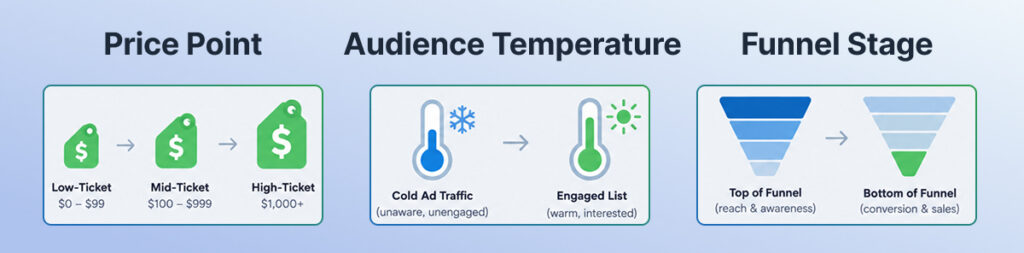
Price point. The higher the price, the more objection handling the sale needs, and objections are easier to handle in real time. A $97 course doesn’t need you in the room. A $5,000 coaching program often does.
Audience temperature. Cold traffic doesn’t come back for an appointment. If someone clicks an ad and lands on your registration page, the session starting in nine minutes will out-attend the one on Thursday by a wide margin. A warm list is the opposite, they’ll book the time, and they’ll show up.
Funnel stage. Top-of-funnel lead generation runs fine automated, because the job is reach. A bottom-of-funnel sales conversation with a shortlist of buyers is worth your actual presence.
Notice what isn’t on that list: how polished your presentation is, how big your audience is, or which platform has more features. In the live vs. automated webinar decision, those matter far less than the three above.
The decision matrix
Your situation Format Why Under $500, cold paid traffic Evergreen, just-in-time No relationship to trade on, so remove the wait Under $500, warm list Evergreen, scheduled They’ll book time, and you shouldn’t spend yours 500–2,000, cold traffic Evergreen, then live follow-up Automate the pitch, humanize the close 500–2,000, warm list Hybrid Recorded teaching, real chat, your objections handled $2,000+, any audience Live The price justifies your hour Product launch Live Urgency is real and you can’t fake a launch Onboarding or training On-demand They need it when they need it Always-on lead generation Evergreen Volume is the point Testing a new presentation Live, always You need to hear the questions
The last row is the one people skip, and it’s the one that costs the most.
When live wins
Four situations, and they’re narrower than the live side of the live vs. automated webinar argument usually suggests.
You’re testing. A webinar presentation that works in theory doesn’t always work in practice, and you only find out by watching where people leave and hearing what they ask in the live Q&A. Run it live until the conversion rate stops moving.
The price is high enough to justify your time. An hour of your attention is a real cost. At $5,000 a sale it’s obviously worth it. At $97 it usually isn’t, even if live converts better per attendee.
The urgency is genuine. A launch, a closing cohort, a real deadline. Manufactured urgency on an automated session is detectable and expensive when it’s detected.
Your audience expects access to you. For some offers the fact that you showed up is part of what they’re buying, and no amount of production polish substitutes for it.
Live also wins anywhere the content can’t be fixed in advance. Product demos of software that changes monthly, sessions where screen sharing has to respond to what someone asks, or anything involving live streaming to a second platform, those need you at the keyboard. Real-time interaction isn’t a nice-to-have in those formats, it’s the point.
Worth being honest about live’s cost, though: it’s the format that burns people out. The weekly cadence eats scripts, rehearsal and energy, and most hosts who commit to it quietly stop after a few months.
When automated wins
Volume, mostly. One good presentation running daily across time zones will out-earn a weekly live session even at a lower conversion rate, because it runs 200 times instead of 50.
One EverWebinar customer describes the trade directly: conversion dropped around 10% against the live version, while running five times as many sessions. Worse per attendee, considerably better overall. Whether that maths works depends entirely on your offer.
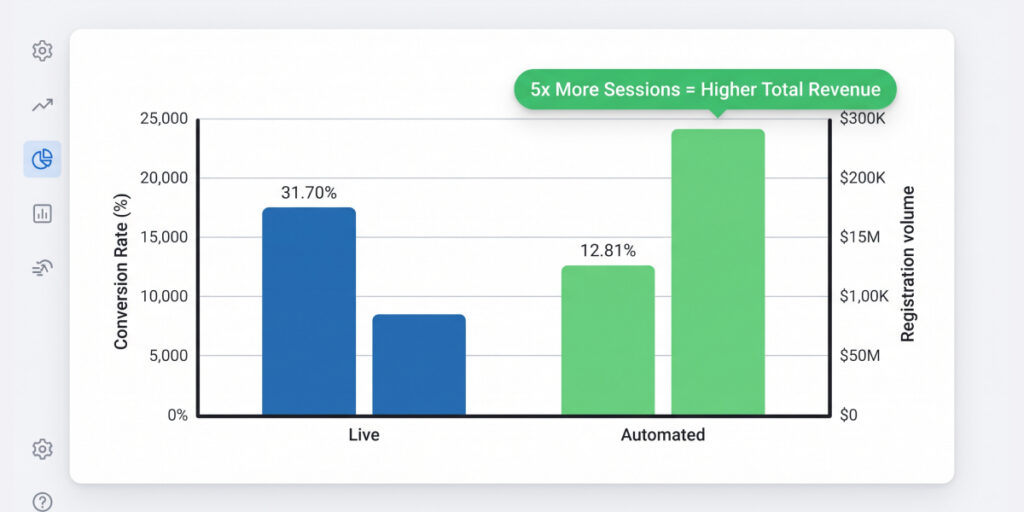
Scalability. This is the real argument. One set of registration pages can feed sessions running daily across every time zone, and your attendance rate often improves rather than drops, because nobody waits three days for a slot.
Consistency. Your automated webinar delivers your best version every time. Your live one delivers whatever you had that Tuesday.
Timing control. You know exactly where your offer lands because you placed it there, which makes testing the placement possible in a way live never allows.
Your calendar back. The most underrated benefit, and the honest reason most people switch. Webinar automation isn’t really about conversion rates. It’s about not presenting the same thing every week until you resent it.
A word on the benchmarks you’ll see. Comparison articles in this category quote attendance and conversion figures constantly, and most don’t survive being traced. The widely-repeated claim that evergreen sessions attend at 60–70% against 25–35% for live comes from a single marketing blog post with no sample and no methodology behind it. Platform-published averages are measured on that platform’s own customers. Measure your own baseline and ignore everyone else’s.
Why most businesses need both
Here’s the part the format debate misses entirely.
Live and automated aren’t alternatives. Live is how you find out whether a presentation converts. Automated is how you scale one that does. Run them in that order and each does the job it’s good at.
That sequence underpins most workable webinar strategies, and it’s why the format question is less interesting than it looks.
Automating an unproven webinar is the expensive version of this mistake. You take a session converting at half a percent, build a funnel around it, point paid traffic at it, and now you’re distributing something that doesn’t work at volume. The tooling isn’t the problem. The presentation is.
So the sequence is: run it live until the numbers stop moving, then automate the winning version.
And this is where the two-product question comes up, because competitors selling a single platform will tell you needing two tools is a weakness.
The honest version: it’s a trade, and you should know which side you’re on. One platform means one subscription and one dashboard, with automation usually the weaker half because it was built second. Two dedicated tools means each is built properly for its job, at the cost of a second subscription.
WebinarJam and EverWebinar sit on the second side of that trade, and Replica Replay is what removes the friction, it imports a completed WebinarJam session into EverWebinar with chat timestamps, polls, handouts and timed offers intact, so the evergreen version keeps the timing that made the live one work. You’re not rebuilding, you’re promoting.
If a single line on the invoice matters more to you than best-in-class tooling for each mode, that’s a legitimate reason to choose differently, and you should know it before you commit.
When should you switch to automated?
Four signals, and you want at least three.
Your conversion rate has stopped moving. Three or four sessions landing in roughly the same place means the presentation is stable. Wild swings mean you’re still learning.
You know the questions before they’re asked. If your Q&A sessions have become predictable, you’ve heard everything the audience needs answered, and you can build those answers into the presentation, or into the timed call-to-action moments around it.
The calendar is the constraint. When you’re turning down traffic because you can’t run more sessions, automation is the only way forward.
You’re repeating yourself. Presenting the same deck weekly is the clearest signal there is. The moment it feels like a chore, the quality starts slipping and automation delivers a better version than you will.
What isn’t a signal: being tired of live webinars before they’ve proven themselves. That’s the same mistake in a more sympathetic costume.
Our comparison pages cover how the platforms in this category handle each format.
Common questions
Should I do a live or automated webinar?
The live vs. automated webinar choice comes down to three things. Go live if you’re still testing the presentation, if your offer is above roughly $2,000, or if the urgency is genuine. Automated if the session already converts consistently, your offer is under $2,000, or your calendar is the thing limiting growth. Most businesses running webinars seriously end up doing both: live to validate, automated to scale.
When should I switch to automated?
When your conversion rate has been stable across three or four live sessions, the Q&A has become predictable, and you’re either repeating yourself weekly or turning away traffic you can’t serve. Three of those four is enough.
Do automated webinars convert as well as live ones?
Usually slightly worse per attendee, and often much better in total. There’s no trustworthy public benchmark for the gap, the figures in circulation come from vendor marketing rather than independent measurement. Expect to trade some conversion rate for a large increase in volume, and measure your own live baseline first so you have something real to compare against.
Can I run both at the same time?
Yes, and it’s common. Live for launches and high-ticket offers, automated for always-on lead generation. They serve different traffic and different stages, and most webinar marketing programs end up doing both without planning to.
Do I need different webinar software for each?
Sometimes. Some platforms host both formats with automation as the weaker half; others specialise. What matters is whether you can move a proven session from one mode to the other without rebuilding it.
How do I host a webinar that works in both formats?
Build it so nothing depends on the moment. Avoid references to today’s date, live screen sharing, and anything that only makes sense in real time. A session recorded with automation in mind converts to pre-recorded cleanly; one built purely for a live room usually doesn’t.
What’s hybrid, and should I use it?
The recording plays while you or your team answer chat live. You get real conversation without presenting repeatedly. The cost is that someone has to be there, which is the thing automation was supposed to give back, so it works well during a launch and is hard to justify daily.
Does automated mean I’m deceiving my audience?
Only if you build it that way. Simulated attendee counts and scripted chat are choices you can switch off, and hybrid mode gives you genuinely real interaction. Plenty of operators disclose that the session is pre-recorded and convert perfectly well, because the audience came for the content.