
Automated Webinar Software

Automated webinar software for always-on funnels.

Record your best presentation once, set the rules once, and let EverWebinar run reliable sessions across every time zone while your funnel keeps working 24/7.

Live-event energy—without living on your calendar.
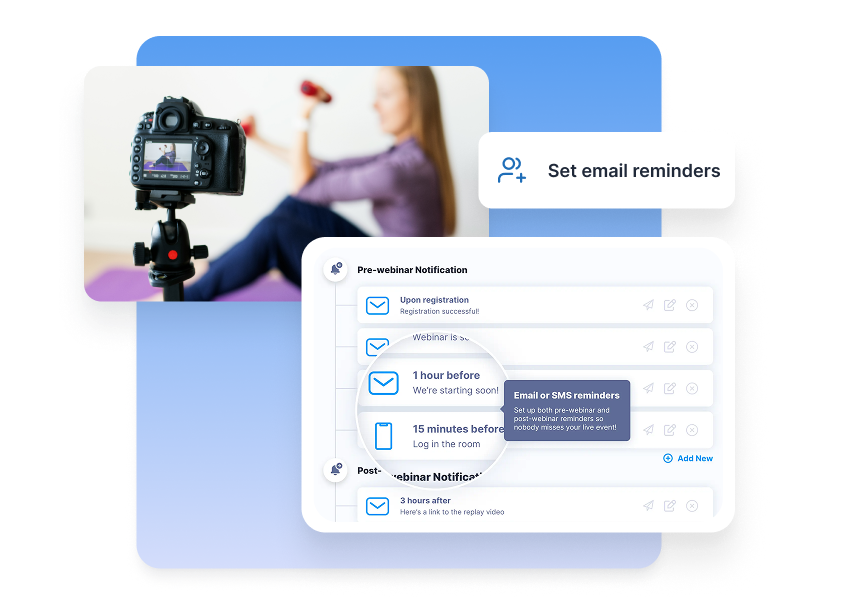
Software interface for 'Reminder flows' showing a yoga instructor and a dashboard for setting automated email and SMS notification paths.

Reminder flows

Built-in reminders and follow-up without the tool stack.
Green Checkmark
Set once, run forever
Email and SMS reminders you set once.
Green Checkmark
Behavioral branching
Paths for attendees, no-shows, and early exits.
Green Checkmark
Native automation
Automatic CRM tags and triggers, no fragile zaps.
Green Checkmark
Unified workflow
One workflow instead of multiple disconnected tools.

Why teams choose EverWebinar for automated webinars.

Connect with your audience and boost your impact with WebinarJam.
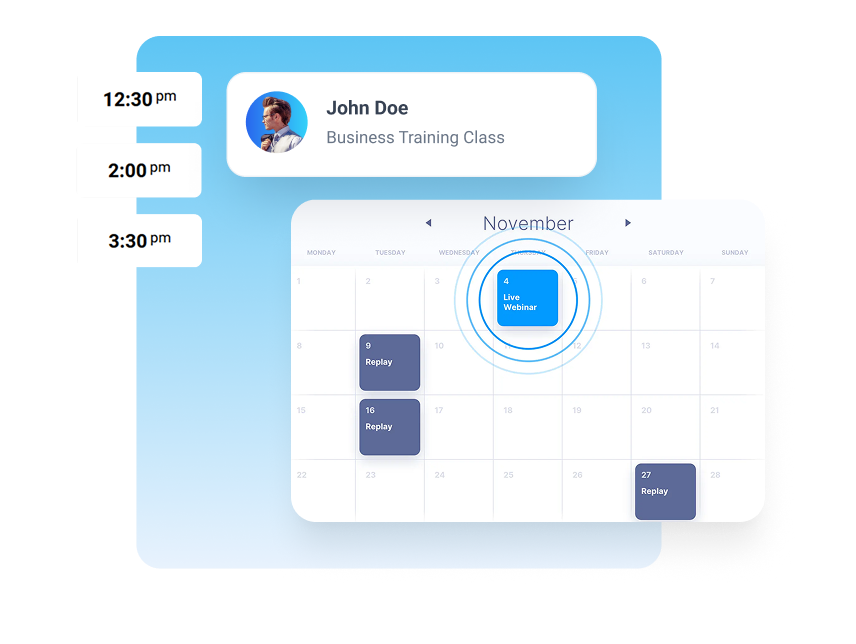
Scheduling you can trust
Offer daily, weekly, or custom session times—without calendar chaos.
Time-zone automation
Registrants always see their local session time—no manual conversions.
Evergreen delivery
A consistent event-style experience, even though the webinar is pre-recorded.
Automated reminders
Reduce no-shows with email and optional SMS sequences.
Behavior-based routing
Send different follow-up to attendees, no-shows, and early exits automatically.
Multi-webinar management
Run multiple webinars for different offers without rebuilding funnels.
Conversion-ready templates
Registration and confirmation pages designed to boost attendance.
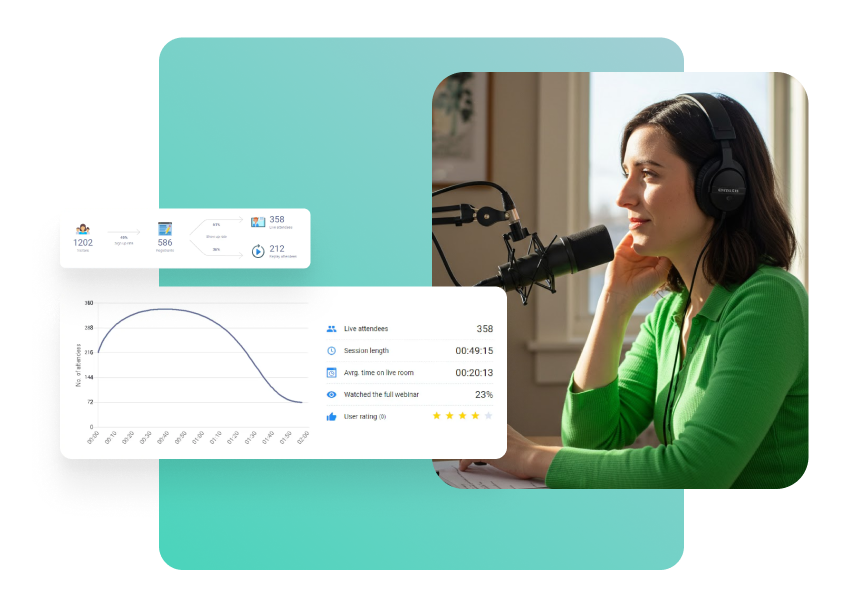
Actionable analytics
See what’s working, what’s leaking, and what to change first.
Need content here
Offer daily, weekly, or custom session times—without calendar chaos.

Real results from real users.

 Course creators, coaches, and consultants who automated their presentations and upped their sales numbers.
My first automated webinar brought in 8 sales. That paid for the software three times over. The setup took maybe 45 minutes total.
 Jennifer K.
Course Creator
I was doing the same webinar live twice a week and burning out. Switched to EverWebinar and now it runs daily. Revenue is up 40% because I’m reaching way more people.
Marcus T.
Business Coach
Honestly wasn’t sure if people would engage with a recorded webinar. But the chat simulation works—viewers respond to the prompts and stay engaged through the pitch.
Alicia M.
Marketing Consultant
My first automated webinar brought in 8 sales. That paid forBest feature is hybrid mode. My recording plays perfectly while I handle live Q&A in chat. Gets me out of presenting but keeps the human connection. the software three times over. The setup took maybe 45 minutes total.
David R.
Course Creator
Support answered my technical question in 30 minutes on a Saturday night. The help docs are detailed but when I got stuck, real people helped immediately.
Lauren P.
Financial Advisor
Conversion rate dropped about 10% compared to live, but I’m running 5x more sessions. Do the math—I’m making way more money with less effort.
Chris H.
Online Educator

Creators use EverWebinar to do and earn more.

467k+

Webinars Created

200m+

Live Attendees

500m+

Leads Generated

557m+

Registrants

FAQs

Everything you need to know about the product and billing.

 Automated webinar software runs a pre-recorded webinar on a schedule (or just-in-time), including registration, reminders, delivery, and follow-up—without you presenting live every time.

Yes, you can try us for free for 30 days. If you want, we’ll provide you with a free, personalized 30-minute onbNot exactly. On-demand is instant access anytime. Automated webinars usually offer scheduled session times so the experience feels like an event, which often improves show-up rates and conversions. Onboarding call to get you up and running as soon as possible.

Yes. You can set daily start times, weekly schedules, or custom recurring sessions—and EverWebinar displays the correct local time for each registrant.

They can—especially when you keep the event structure: scheduled start times, timed CTAs, engagement beats, and session-based urgency. The big win is consistency at scale.

You can route follow-up based on behavior (attended, missed, left early, watched to the offer) and pass that data into your CRM to trigger the next best step.

Most teams can be live in 1–2 hours: upload the recording, set session rules, configure reminders, and publish your registration flow.

Yes. Upload any MP4 file and add your scheduling rules. If you use WebinarJam, import your entire session including chat, polls, and offers with one click.